The Activity Log
The EZYiD event management system is preconfigured to monitor, collect and report supply chain events defined in the system. The fixed events in the EZYiD system are entry, compliance, checkup, maintenance, transfer, acceptance, rejection and exit events. These are some of the most common events that can be applied to a supply chain use case.The Activity log
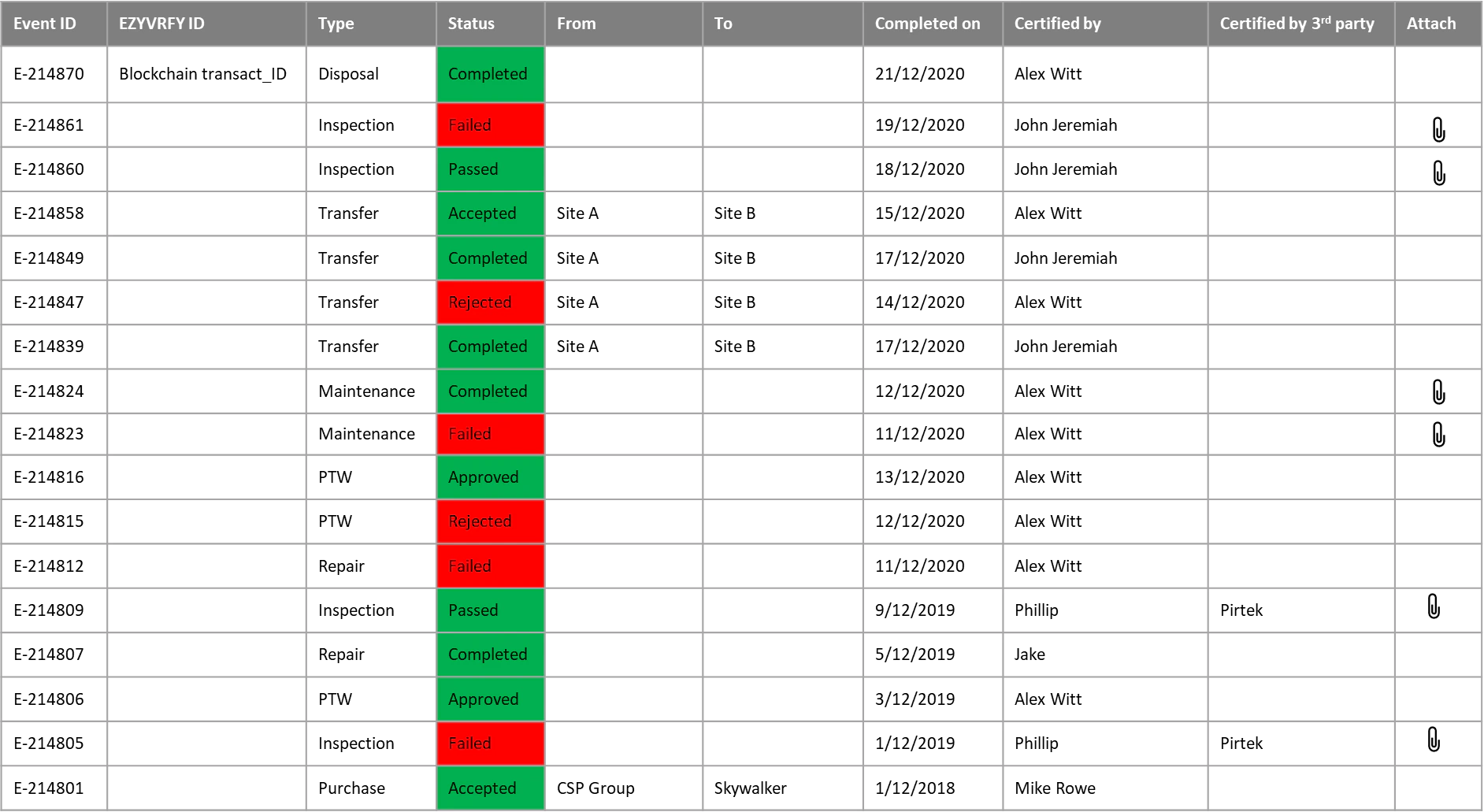
Every asset in the EZYiD system is associated with an activity log to capture system, supply chain, safety, checkup and corrective and preventive events defined and undertaken in the system. These events are generally triggered by the system to reflect your business and user compliance policies configured. Safety Inspection events are always associated with a checklist which may include observations that are captured and stored as an Inspection Certificate. Refer to Certificate Management for a detailed description of how to use Certificates for compliance.- To view the events associated with the asset, click on the Activity tab on the bottom RHS of the asset edit page.
- To open the certificate associated with an event, click on the
 attachment pin.
Certificate Management
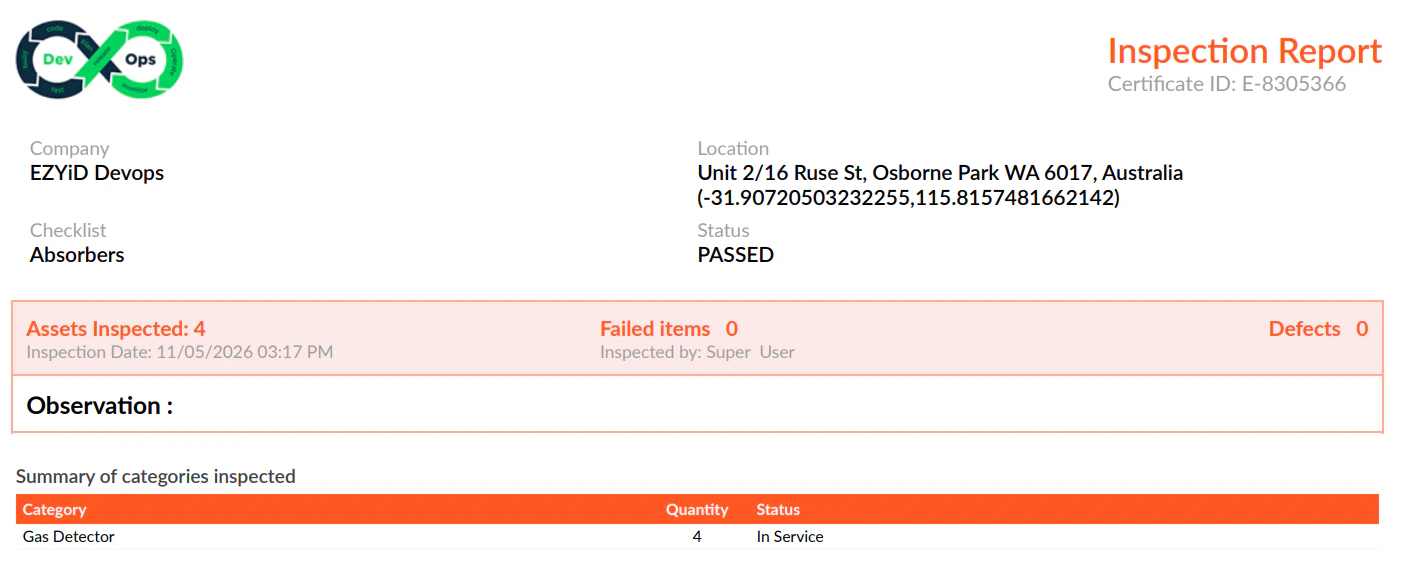
The EZYiD Inspection Report is the documentary evidence of the compliance action, communicating to an owner and auditor, the completion of the event to the agreed standards set in the checklist associated with the asset. All regulatory bodies and manufacturers specify a set of inspection and maintenance requirements to maintain an asset. These instructions are followed and responses captured via the EZYiD Checklist. The key information in the EZYiD Inspection Report are:- Name of competent person undertaking the inspection
- A unique Inspection Report ID linked to the digital event record
- Asset Owner Name
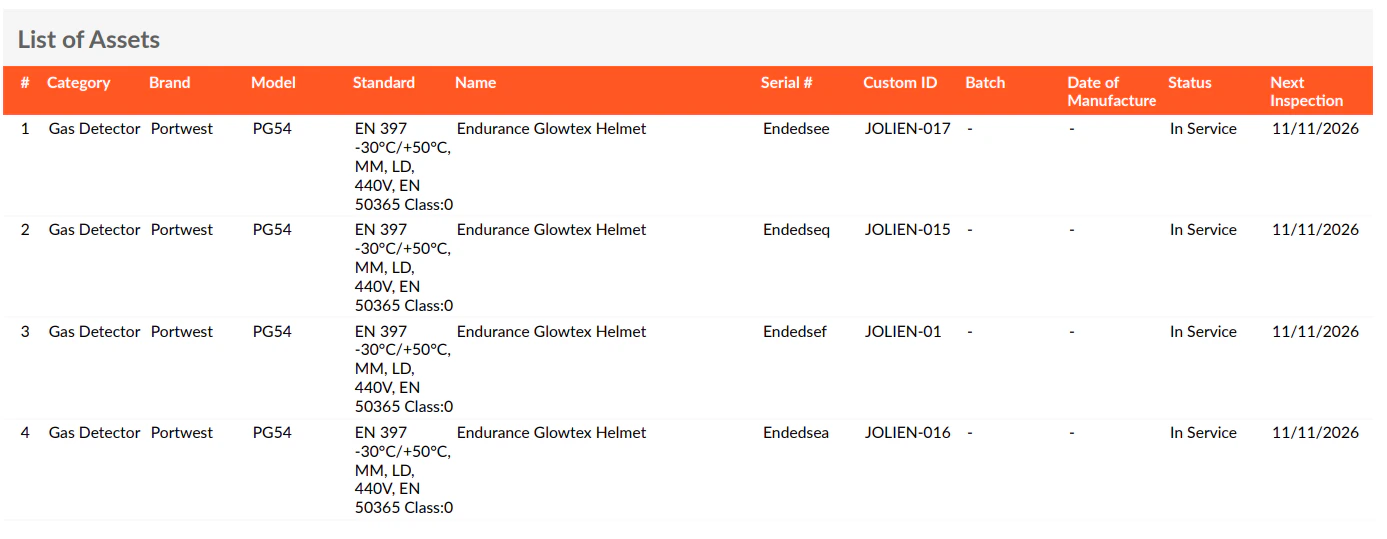
- Category of asset
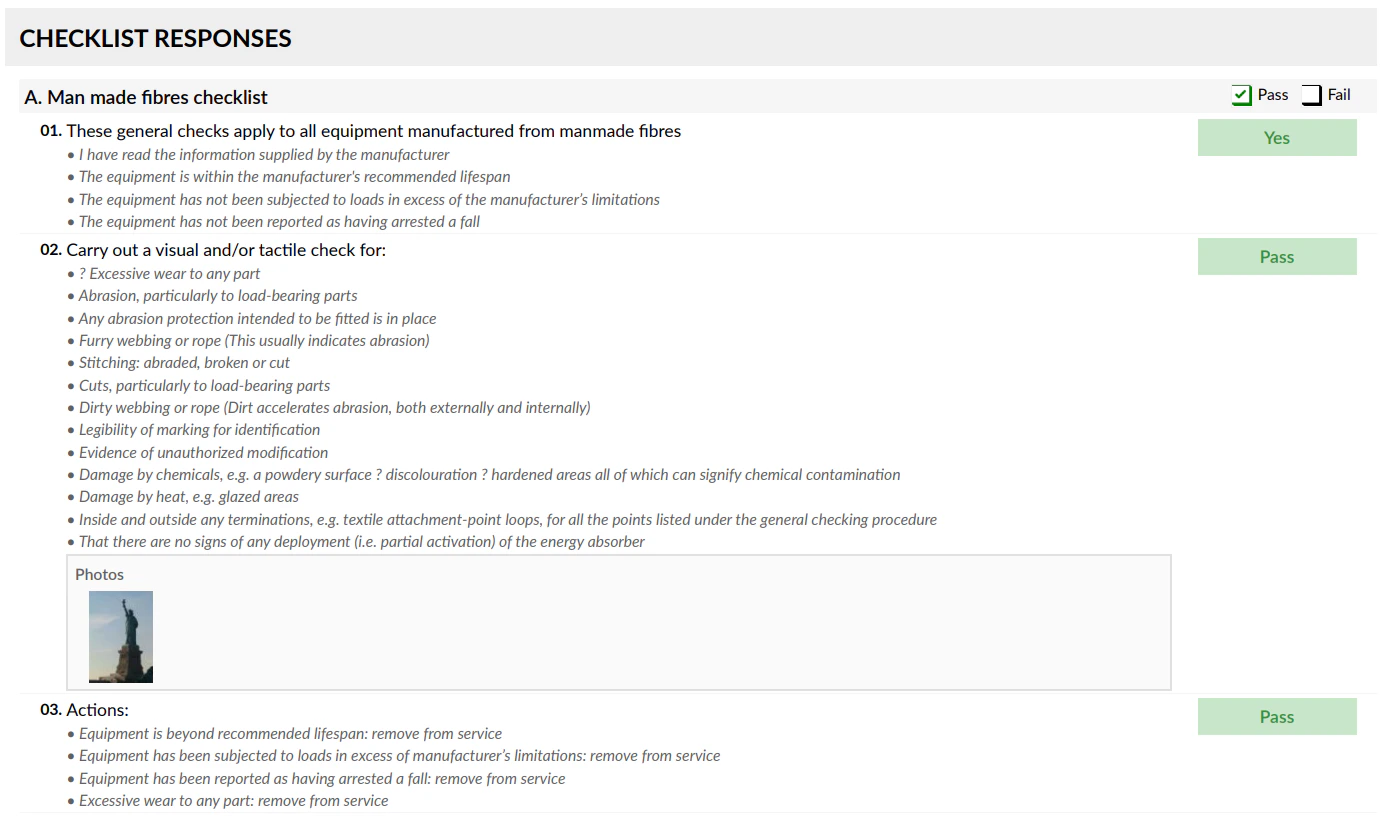
- Checklist – control document associated with the asset
- Location – the Lat/Long of the device where the inspection was completed
- Date and Time when the inspection was completed
- Assets associated with the inspection event
- Responses to the checklist;
- Status of the asset following the inspection