> ## Documentation Index
> Fetch the complete documentation index at: https://help.ezyid.io/llms.txt
> Use this file to discover all available pages before exploring further.
# Adding a New Competency
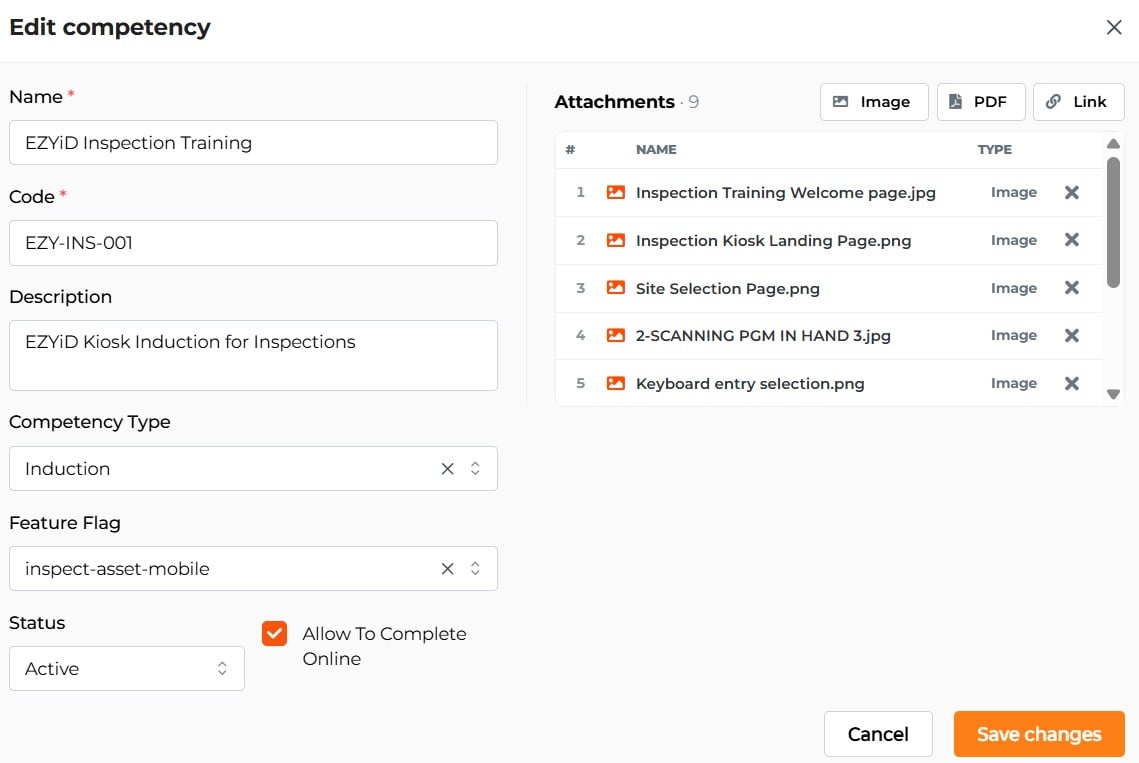
1. Open Ezyid Lite.
2. Go to **RHS menu → Settings → Competency Library**.
3. Tap **Add Competency**.
4. Complete the fields:
* **Competency Name** — e.g. *Site A General Site Induction*.
* **Category / Code** — align with your internal code system or regulatory framework.
* **Description** — purpose and scope of the competency.
* **Competency Type** — select from Induction, Pre-start, Refresher Training, or a custom type.
* **Feature Flag** - Select the workflow you wish to add a competency requirement to.
* **Status** — competency can be set to active or inactive.
* **Renewal Method** — when enabled, automatic online renewal is allowed.
* **Attachments** — Course attachments that need to be completed for online renewal.